

















Android app
HoliganBet app – Android, APK and mobile access


Key facts
The HoliganBet Android APK is version 1.3.1, is 38 470 932 bytes and requires at least Android 11 according to its manifest. I installed it on a HONOR X9d: it launched quickly and worked without problems. iPhone uses a web route with home screen addition; an external APK requires attention to system prompts. Mobile experience scores 7,2/10.



Android APK: compatibility checks and installation
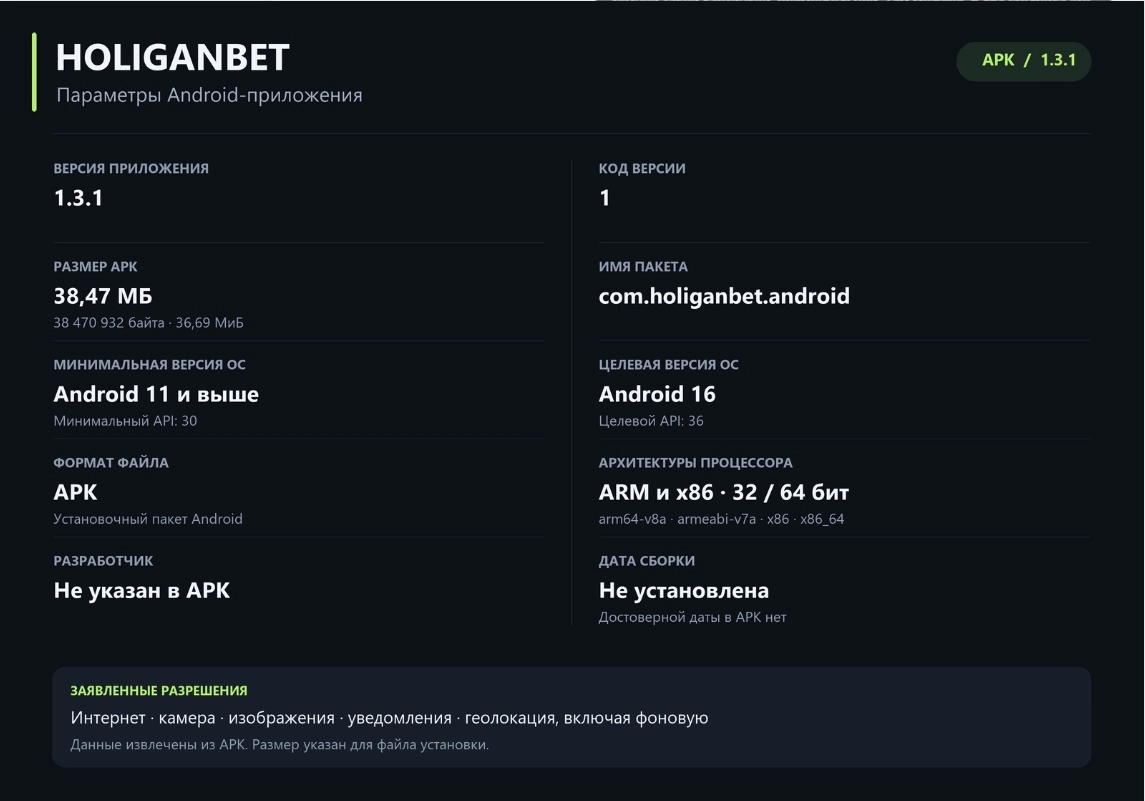
The HoliganBet app for Android comes as an APK. Before installing, compare the file with version 1.3.1, build code 1 and identifier com.holiganbet.android. These HoliganBet APK parameters distinguish the described package from another similarly named file.
For compatibility, use the minimum API 30 / Android 11: targetSdkVersion and compileSdkVersion 36 / Android 16 define the target level and build environment rather than the phone's minimum system.
The file is 38 470 932 bytes. In decimal units this is approximately 38,47 MB; in binary units, approximately 36,69 MiB. MB and MiB differ because of byte division, not because there are two builds. Leave space for both the download and installation. APK size describes the downloaded file; the installed app and its data occupy space separately.
APK 1.3.1 parameters
| Parameter | Value | Meaning |
|---|---|---|
| Version | 1.3.1; build code 1 | Identity of this APK. |
| Size | 38 470 932 bytes; ≈38,47 MB / 36,69 MiB | File size itself, without a promised installed size. |
| Package | com.holiganbet.android | Technical Android app identifier. |
| Minimum system | API 30 / Android 11 | This file's manifest requirement. |
| Target build | API 36 / Android 16 | Target and compilation levels, not a requirement for Android 16. |
| Library architectures | arm64-v8a, armeabi-v7a, x86, x86_64 | Native libraries inside the file. |
| SHA-256 | 90be48a96c8a346773003c85a7944aedbb31eec35124b1c7870e715968ddf018 | Checksum for this exact file version. |
Number 1.0.968 belongs to the website interface. The Android package has separate numbering. Check version, size and checksum together. If a value differs, clarify the file and source first; a web footer number does not identify the APK.
Compatibility and test device
Before installing this build, check your phone's system version against the minimum Android 11.
The APK contains libraries for four architectures: arm64-v8a, armeabi-v7a, x86 and x86_64. For compatibility enquiries, provide your phone model and file version. The camera feature has required=false, so camera presence is not stated as mandatory for installation. The package nevertheless declares CAMERA permission.
How to obtain the official installation route
Obtain the official installation route through HoliganBet Telegram. The mobile section contains the Android option; iPhone has browser instructions. Follow one route from the channel to launching the installed file:
-
Open the confirmed Telegram channel and find the current mobile access route.
-
Choose Android rather than the iPhone instructions.
-
Check file details and install the APK following your device's system prompts.
-
After launch, access your gaming account through the designated login form.
Consider external-source installation permission when the device prompts you. Check which file and action it concerns before confirming. If uncertain about the source, stop and clarify the route through the official channel; disabling protective settings entirely is unnecessary.
The SHA-256 checksum compares the file with the described build. A different checksum means different bytes: clarify version and source before continuing installation.
Installation results
I installed the Android APK on a HONOR X9d without problems. It loaded quickly — practically instantly in my assessment — with no significant difficulties. At first launch, check your primary task: whether the interface opens and you can reach account login. If there is difficulty, tell support the device model, APK version and action where you stopped.
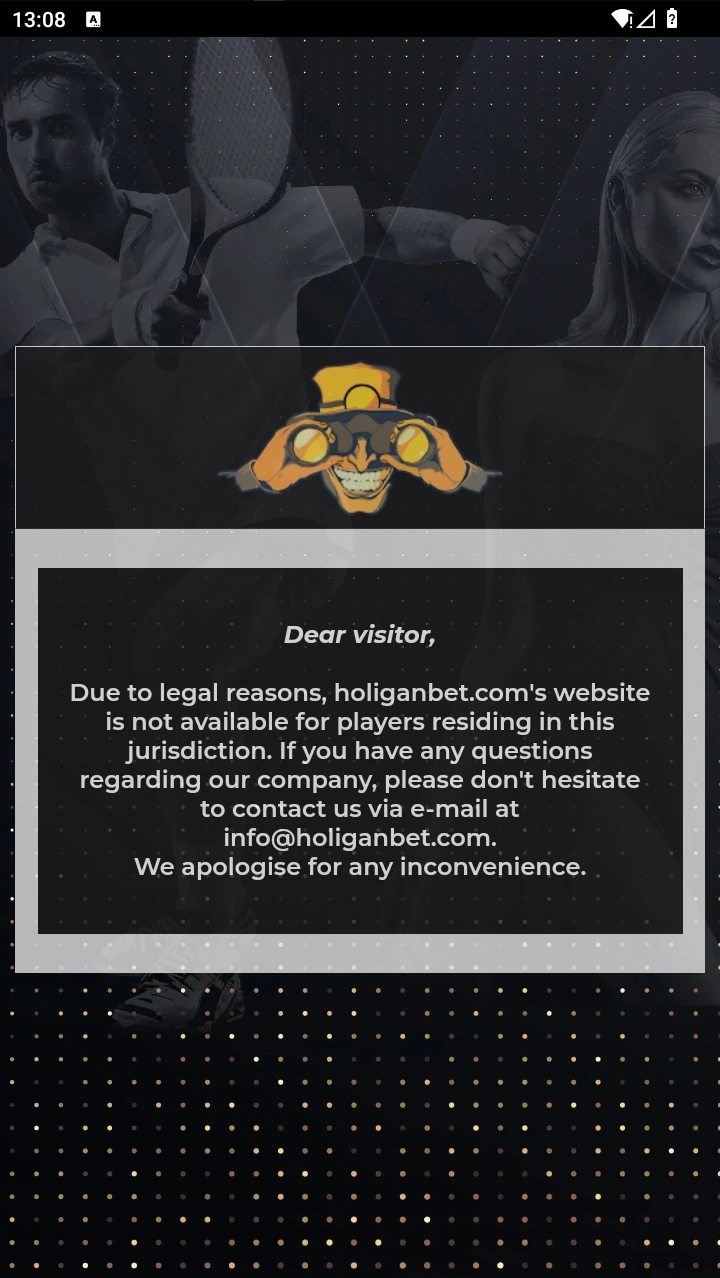
When choosing APK or browser, consider the task: the file provides a separately installed Android version, while the mobile site opens in a browser.
iPhone owners use the web version added to the home screen.
How to choose mobile access
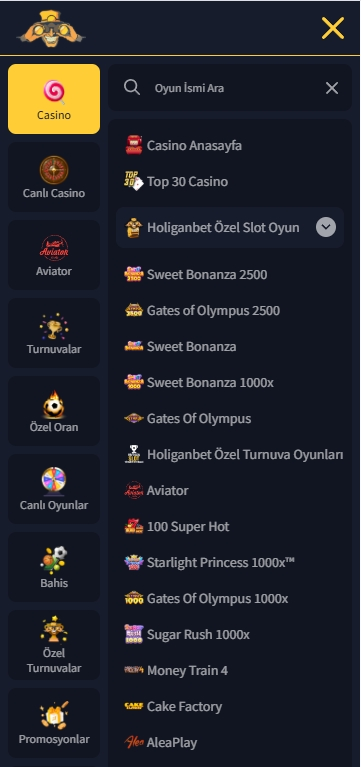
HoliganBet is accessible through a mobile browser, Android APK and an iPhone version added to the home screen. These are three different access methods. iPhone's confirmed route is Add to Home Screen: there is no native App Store app or offline mode. Android APK is a separate file I personally installed and used.
| Option | Access type | System and format | Practical boundary |
|---|---|---|---|
| Android APK | Installing com.holiganbet.android | Minimum Android 11 in the manifest; tested on HONOR X9d | The file is Android-only. |
| Mobile site | Browser access | Interface adapts to the mobile screen | APK size and system permissions do not apply to the browser. |
| iPhone | Web page with a home screen icon | Minimum iOS 14 | No native App Store app or offline mode. |
Choose according to your task. Separate installation suits Android. For access without downloading an APK, open the mobile page in a browser. On iPhone, add it to the home screen through the browser.
Browser access and gaming account
A mobile browser provides access without a separate Android file. The interface adapts to the screen. Package size concerns the APK, and its system permissions do not describe browser access. Compare the actions on the page and choose the route suited to your device.
Downloading the APK installs software. For an existing profile, open the login form; for a new one, registration. The home page covers major products and usage experience.

Android and iPhone
HoliganBet on your phone
Find out how to open the site on iPhone or install the Android app.
Android app permissions
The APK manifest declares network, camera, image reading, location and notification access, plus installation and advertising attribution mechanisms. These describe package capabilities; consider system requests on your phone as they appear.
| Group | Declared capability | What to consider |
|---|---|---|
| Connection | Internet, network and Wi-Fi status | Access supports interaction with the online service. |
| Camera and images | CAMERA, READ_MEDIA_IMAGES | Check which action needs access before granting it. |
| Location | Approximate, precise and background | Consider the scope requested, especially background access. |
| Notifications | POST_NOTIFICATIONS and Google push delivery | Choose notification permission deliberately. |
| System functions | Wake lock, install referrer, advertising ID, attribution | Consider these alongside other app settings. |
Declared capabilities and permissions you granted are different information. The list above concerns the file manifest; current permissions of an installed app appear in device settings. Read requests before rather than after granting access. For camera or image requests, compare them with the current interface action. For location, check the chosen access option.
Settings allowBackup=true and usesCleartextTraffic=true permit backups and unencrypted network traffic respectively, but do not alone describe actual data exchange during your use.
Consider phone controls when choosing access: an APK has its own system permissions, while a mobile page runs through a browser. Check the installation source and preserve device protection settings.
HoliganBet mobile experience rating
The overall score is 7,2/10. Three access routes provide platform choice; the Android APK installed successfully and ran quickly in my experience. An external APK requires choosing the file and reviewing system prompts. iPhone remains a web solution with no offline operation.
| Criterion | Weight | Score |
|---|---|---|
| Platform availability | 15% | 8,0/10 |
| Source and installation | 15% | 5,5/10 |
| Stability | 20% | 7,5/10 |
| Operating speed | 15% | 7,5/10 |
| Feature consistency with the web version | 15% | 8,0/10 |
| Navigation | 10% | 7,5/10 |
| Login and account protection | 10% | 5,5/10 |
| Overall | 100% | 7,2/10 |
Calculation rules appear in the rating methodology. Mobile access suits users choosing between a browser and separate Android installation; iPhone owners use the web route.

Deposits and withdrawals
Choose a convenient payment method
Compare methods, limits and fees before your first deposit.
Frequently asked questions
Which HoliganBet APK version is described here?
File version 1.3.1, build code 1. Package identifier: com.holiganbet.android. Website interface number 1.0.968 does not refer to this APK version.
Which Android version is required?
This file's manifest requires at least API 30, meaning Android 11. I successfully tested installation and operation on a HONOR X9d.
Is the same APK available for iPhone?
No. APK is for Android. iPhone uses a web version added to the home screen, described on a separate page.
Where can I find the mobile section access route?
Use the official Telegram channel. Find the mobile page link in the channel and choose Android.
Where can I check app location access?
In the installed app's permission settings on your phone. The manifest declares approximate, precise and background location; current access is chosen and shown on the device.
Conclusion
HoliganBet provides Android APK version 1.3.1 with a known size and minimum Android 11; on a HONOR X9d, it installed and ran quickly without noticeable problems. iPhone has a different web route, and a mobile browser remains a separate option. Use the official installation route and read system prompts carefully. Mobile experience scores 7,2/10. For iPhone, see the five home screen addition steps.

Next step
Ready to go to HoliganBet?
Open the platform to log in or register.

About the author
| Field | Details |
|---|---|
| Author | Nick Lemin |
| Role | iGaming analytical expert |
| Experience | 9+ years analysing online casinos, payments, mobile apps and sports betting |
| Published | 14 October 2026 |
| Device | HONOR X9d; iPhone 14 |
| Methodology | Rating methodology |